

Technical SEO: The Complete Beginner’s Guide (2025 Edition)
Introduction
Step 1 – Target Audience
If you are a blogger, website owner, digital marketer, or SEO beginner looking to improve your Google rankings, this guide is for you.
Step 2 – Problem / Pain Point
Your website may look perfect — but still:
- Not ranking
- Not getting traffic
- Pages not indexing
- Slow loading
- Facing Google errors
Mostly, this happens due to technical SEO issues in the background.
Step 3 – Solution Hint
In this guide, you will learn:
✅ What is technical SEO
✅ How to fix issues
✅ Best tools
✅ Simple checklist to optimize your website
What is Technical SEO?
Technical SEO means optimizing your website’s backend structure so that search engines like Google can:
- Find your pages
- Crawl them
- Index them
- Rank them faster
In simple words:
Technical SEO makes your website search-engine friendly.
Why is Technical SEO Important?
Without proper technical SEO:
| Issue | Impact |
|---|---|
| Slow website | Low ranking |
| Broken links | Bad user experience |
| No sitemap | Pages not indexed |
| Crawl errors | Google can’t read site |
| No HTTPS | Trust issues |
Technical SEO vs On-Page SEO
| Factor | Technical SEO | On-Page SEO |
|---|---|---|
| Focus | Website structure | Content |
| Works on | Backend | Frontend |
| Includes | Speed, crawl, index | Title, headings |
| Purpose | Search engine access | User optimization |
Technical SEO Checklist (2025)
✅ Make website mobile-friendly
✅ Improve page speed
✅ Fix broken links
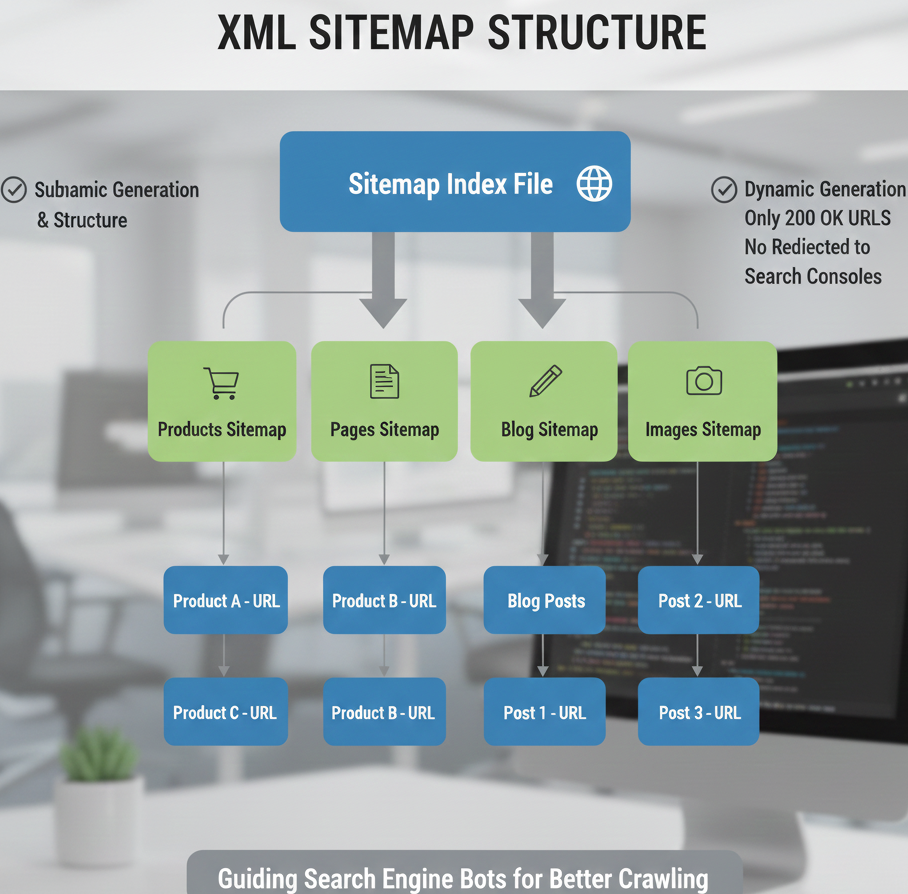
✅ Generate XML Sitemap
✅ Correct Robots.txt
✅ Enable HTTPS
✅ Fix duplicate content
✅ Use canonical tags
✅ Improve core web vitals
✅ Remove crawl errors
How to Do Technical SEO (Step-by-Step)
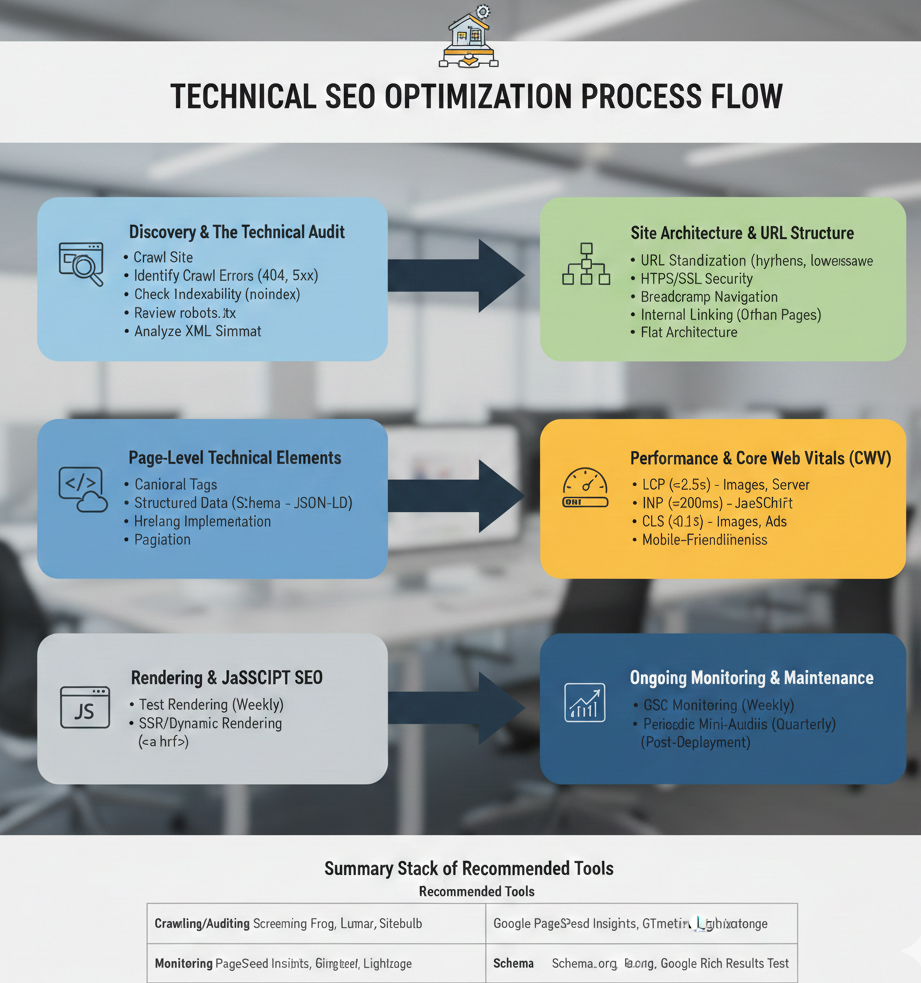
Step 1: Run a Technical SEO Audit
Use tools like:
- Google Search Console
- Screaming Frog
- Ahrefs / SEMrush
Step 2: Fix Indexing Issues
Check:
- Pages not indexed
- Robots blocking URLs
- Sitemap errors
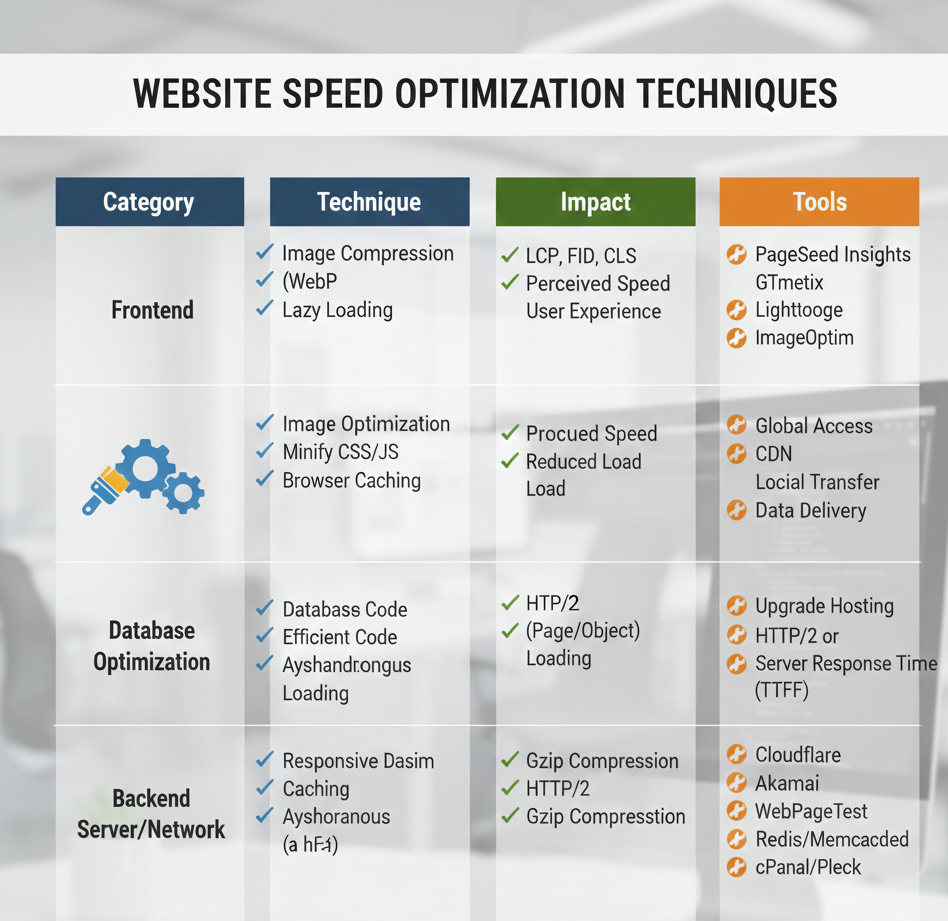
Step 3: Speed Optimization
Compress images
Minify CSS/JS
Use caching
Step 4: Mobile Optimization
Ensure responsive design
Check Google Mobile Test
Best Technical SEO Tools
| Tool | Use |
|---|---|
| Google Search Console | Indexing & errors |
| Screaming Frog | Crawl report |
| Ahrefs | Technical audit |
| SEMrush | Site health |
| GTmetrix | Speed |
| PageSpeed Insights | Core web vitals |
Technical SEO Issues You Must Fix
- Crawl errors
- Duplicate pages
- 404 errors
- Redirect chains
- Broken internal links
- Missing sitemap
- Slow page load
- Mixed content
- Wrong canonical URLs
Is Technical SEO Off-Page or On-Page?
Technical SEO is neither.
It is a separate SEO pillar that supports both.
Three main pillars:
- Technical SEO
- On-Page SEO
- Off-Page SEO
How Long Does Technical SEO Take?
| Task | Time |
|---|---|
| Basic fixes | 1–3 days |
| Medium site | 1–2 weeks |
| Large site | 3–4 weeks |
| Google improvement | 2–8 weeks |

What is technical SEO in simple words?
Technical SEO helps Google understand and rank your website faster.
Is technical SEO hard?
No, if the checklist is followed regularly.
Can I do technical SEO myself?
Yes. With proper tools and practice.
How often should you audit technical SEO?
Every 1–2 months.
What is the biggest technical SEO mistake?
Ignoring page speed and indexing issues.
Alternate Section: Quick Summary Box
Technical SEO = Website Health
If your content is excellent but technical SEO is weak,
Google still may not rank you.
Want Your Website Fixed by an Expert?
If you want:
✅ Faster website
✅ Higher ranking
✅ Zero errors
✅ Better indexing
Contact a Technical SEO Expert today
and improve your
Ranking • Speed • Performance • Indexing